
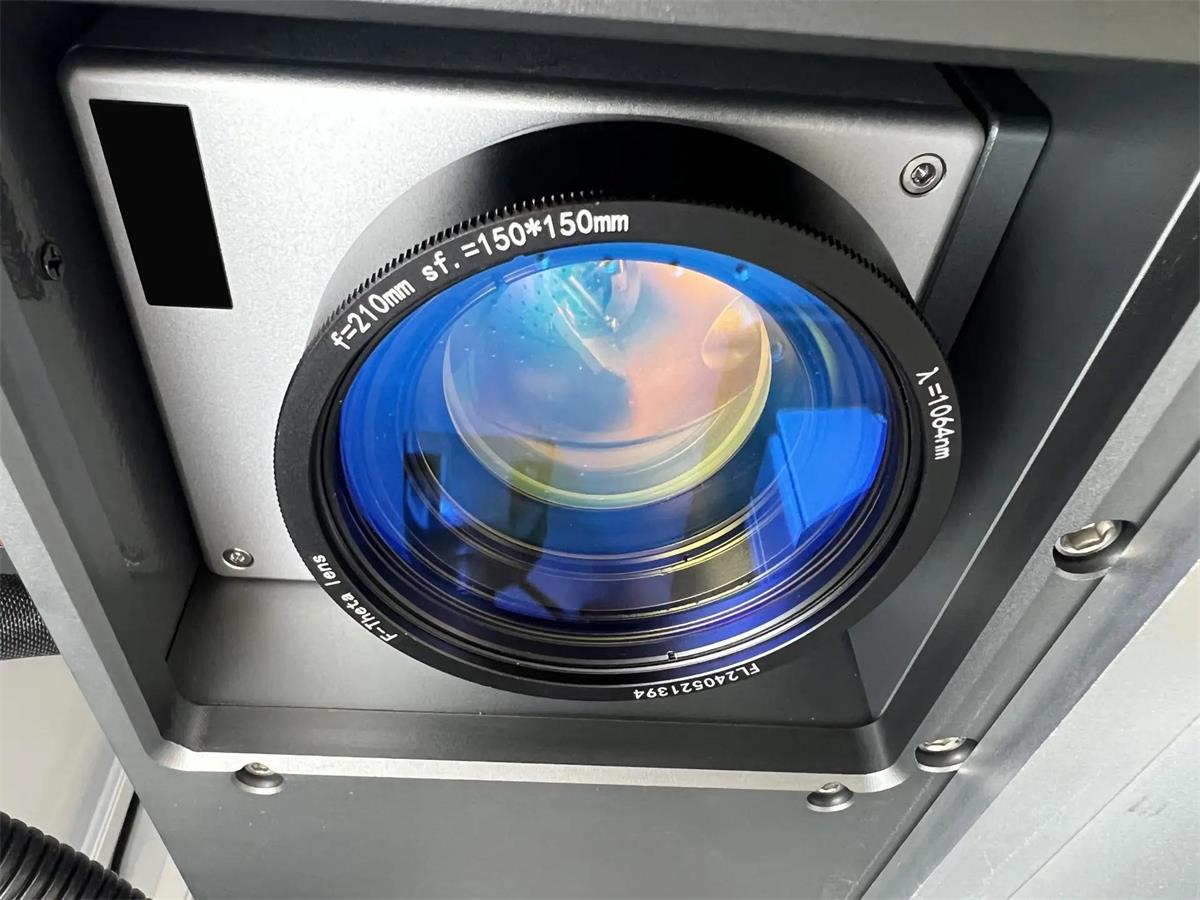
The cost of a laser marking machine depends on several factors, including laser source type, output power, marking area, optical components, machine structure, and automation requirements. Two machines with the same laser power can have significantly different prices because their components and production capabilities may not be the same. Buyers comparing equipment can explore Dowin’s laser marking machine collection or check the specifications of the DW-20FDE Desktop Fiber Laser Marking Machine to understand how different configurations influence machine costs.
1. Laser Source Type: Fiber, CO2, or UV?
The laser source is one of the biggest factors affecting the price of a laser marking machine. Different laser technologies are designed for different materials and applications.
Fiber Laser Marking Machine
Fiber laser marking machines operate at approximately 1064 nm and are mainly used for metal marking, including stainless steel, aluminum, brass, copper, and steel.
Common applications include:
-
Metal logos and serial numbers
-
QR codes and barcodes
-
Jewelry engraving
-
Industrial component identification
-
Metal tool and hardware marking
Standard fiber lasers are suitable for conventional metal marking. MOPA fiber lasers generally cost more because they offer adjustable pulse duration and greater flexibility for specialized applications such as stainless steel color marking.
CO2 Laser Marking Machine
CO2 laser marking machines are mainly designed for non-metallic materials, including leather, wood, acrylic, paper, rubber, and textiles.
The price depends on the laser source, output power, working area, and optical configuration. RF metal tube and glass tube systems also have different cost structures.
UV Laser Marking Machine
UV laser marking machines operate at approximately 355 nm. They are suitable for fine marking on glass, selected plastics, electronic components, and other materials requiring reduced thermal impact.
UV laser sources generally involve a higher investment than many conventional fiber laser configurations.
2. Laser Power: 20W, 30W, 50W, or 100W?
Laser power directly influences machine pricing, but higher power does not always mean better value.
| Laser Power | Typical Applications |
|---|---|
| 20W | Logos, serial numbers, QR codes |
| 30W | General industrial metal marking |
| 50W | Faster marking and deeper engraving |
| 60W–100W | Demanding engraving and production applications |
Higher power can improve processing efficiency and material removal in suitable applications.
However, for small logos, identification numbers, and conventional marking tasks, a 20W or 30W machine may already be sufficient.
Before selecting laser power, consider the required marking depth, material, production volume, and processing speed.
3. Laser Source Brand and Quality
Machines with identical power ratings can have different prices because they use different laser source brands and models.
Common fiber laser source manufacturers include Raycus, JPT, MAX, and IPG.
The laser source influences:
-
Output power stability
-
Beam quality
-
Pulse characteristics
-
Processing consistency
-
Long-term operating reliability
-
Warranty and technical support
MOPA and standard Q-switched sources also have different capabilities and price levels.
When requesting quotations, ask suppliers to provide the exact laser source manufacturer and model instead of simply stating the laser power.
4. Marking Area and F-Theta Lens
The marking area affects the optical configuration and overall machine cost.
Common working areas include:
-
70 × 70 mm
-
110 × 110 mm
-
150 × 150 mm
-
175 × 175 mm
-
200 × 200 mm
-
300 × 300 mm
A larger marking area generally requires a different F-theta lens and a compatible optical configuration.
For example, a 110 × 110 mm lens may be suitable for jewelry, small components, and nameplates, while a 200 × 200 mm lens may be more appropriate for larger workpieces.
A larger marking area does not automatically provide better marking quality. Buyers should balance workpiece dimensions, spot size, and required precision.
5. Galvanometer Scanner and Control System
The galvanometer scanner controls the movement of the laser beam across the marking surface.
Its quality affects marking speed, positioning accuracy, and processing consistency.
The control system is another factor to consider. Common components include BJJCZ control cards and EZCAD marking software.
When comparing quotations, confirm the actual galvanometer brand, control card, and software configuration. Two machines using the same software may still have different overall performance.
6. Machine Structure: Desktop, Portable, or Enclosed?
Different machine structures are designed for different production environments.
Desktop Laser Marking Machine
Suitable for small and medium-sized workpieces, including jewelry, metal nameplates, electronic components, and hardware.
Portable Laser Marking Machine
Designed for flexible operation and marking large or heavy workpieces that cannot easily be moved to a desktop machine.
Enclosed Laser Marking Machine
Features a protective enclosure and may include safety interlocks and electric lifting mechanisms. It is suitable for standardized production environments.
Automated Laser Marking System
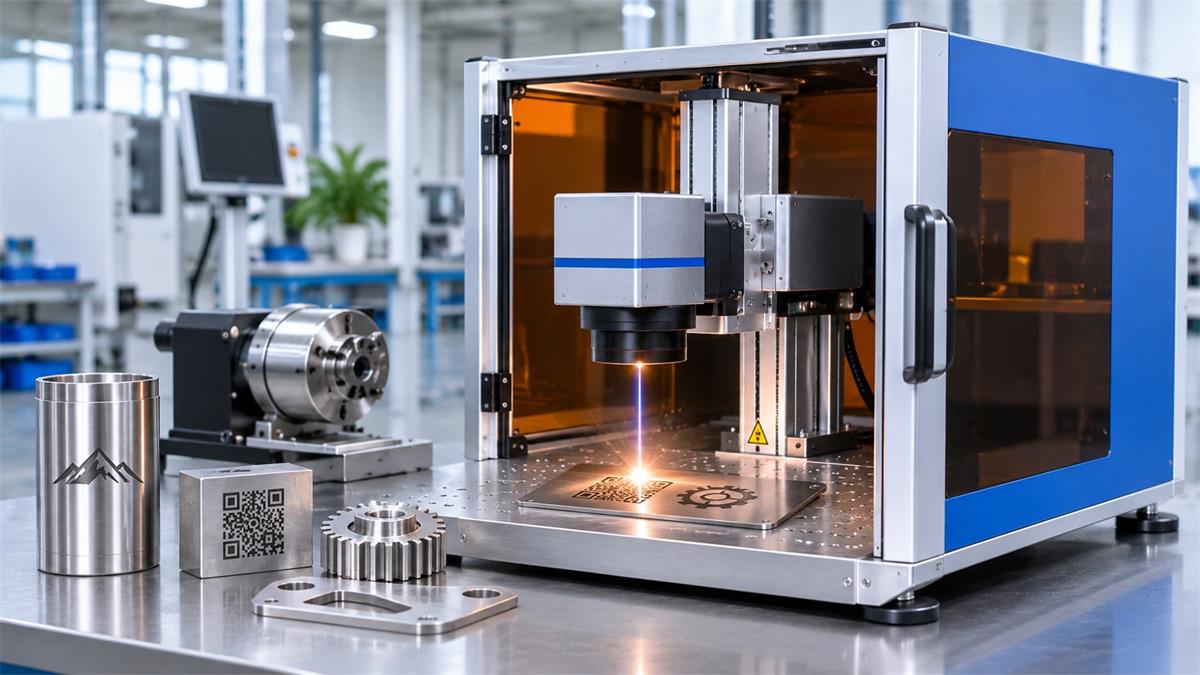
May include conveyors, automatic feeding, rotary devices, vision positioning, and PLC integration.
Automated configurations cost more, but they can reduce manual handling and improve production efficiency in high-volume manufacturing.
7. Optional Accessories That Increase the Price
A basic machine quotation may not include all the accessories required for a particular application.
| Accessory | Main Function |
|---|---|
| Rotary axis | Marks rings, tubes, and cylindrical products |
| Fume extractor | Removes smoke and particles |
| Protective enclosure | Provides laser protection |
| Electric lifting axis | Adjusts marking height |
| Conveyor | Transfers products automatically |
| Vision system | Identifies product positions |
| Additional lenses | Provides different marking areas |
| Custom fixture | Holds workpieces in position |
For example, manufacturers marking cylindrical products may need a rotary attachment. Factories processing large quantities of components may benefit from conveyor systems or automatic feeding.
Only purchase optional equipment that supports your actual production requirements.
8. Hidden Costs Beyond the Machine Price
The machine quotation is not necessarily the total investment, especially for international buyers.
Consider the following additional costs:
-
International shipping
-
Import duties and taxes
-
Installation and operator training
-
Optional accessories
-
Spare parts and maintenance
-
Technical support
Also check the delivery terms. EXW, FOB, and CIF quotations include different services and transportation responsibilities.
Always compare quotations with the same delivery conditions.
9. How to Compare Laser Marking Machine Quotations
When receiving quotations from different manufacturers, compare the complete machine configuration rather than focusing only on the final price.
| Specification | What to Check |
|---|---|
| Laser type | Fiber, CO2, or UV |
| Laser power | 20W, 30W, 50W, etc. |
| Laser source | Brand and model |
| Galvanometer | Brand and configuration |
| F-theta lens | Working area |
| Control system | Control card and software |
| Machine structure | Desktop, portable, or enclosed |
| Accessories | Rotary axis, extractor, fixtures |
| Warranty | Coverage and duration |
| Delivery | Shipping terms and destination |
Three things are particularly important:
-
Request sample testing using your actual materials.
-
Compare equivalent machine configurations.
-
Check warranty coverage and after-sales support.
A lower quotation does not necessarily mean a better investment.
10. Dowin Laser Marking Machine Recommendation
Dowin offers different laser marking configurations for manufacturers working with metals and non-metallic materials.
DW-20FDE Desktop Fiber Laser Marking Machine
The DW-20FDE is designed for general metal marking applications.
Main specifications include:
-
Laser power: 20W, with 30W and 50W options
-
Laser source: Raycus
-
Wavelength: 1064 nm
-
Standard marking area: 110 × 110 mm
-
Optional marking areas: 150 × 150 mm and 175 × 175 mm
-
Software: EZCAD
-
Cooling: Air cooling
Typical applications include stainless steel nameplates, aluminum products, jewelry, hardware, and industrial identification.
For other materials, buyers can also consider Dowin’s CO2 and UV laser marking solutions.
Explore the Dowin Laser Marking Machine collection to compare available configurations.
For an accurate quotation, provide your material, workpiece dimensions, required marking effect, and expected production volume.
11. Frequently Asked Questions
How much does a laser marking machine cost?
The price depends on laser technology, power, source brand, working area, machine structure, and accessories. A basic desktop fiber system and an automated industrial marking line require very different investments.
Why are two 30W fiber laser marking machines priced differently?
They may use different laser sources, galvanometers, lenses, control systems, and machine structures. Warranty and accessories can also affect the final quotation.
Is a 20W laser marking machine enough for metal marking?
A 20W fiber laser is suitable for many conventional applications, including logos, serial numbers, QR codes, and product identification. The required power depends on marking depth and production speed.
Is MOPA more expensive than standard fiber laser?
Generally, yes. MOPA provides additional pulse-duration control and greater flexibility for specialized marking applications.
Does a larger marking area increase the price?
Usually. A larger marking area requires a suitable F-theta lens and may require a different optical configuration.
What information should I provide to get an accurate quotation?
Provide the material type, workpiece dimensions, marking design, required marking effect, production volume, and destination country. Actual material samples are also helpful.
Is the cheapest laser marking machine the best choice?
Not necessarily. Buyers should evaluate component quality, processing performance, warranty, and after-sales support instead of comparing purchase prices alone.
Conclusion
Laser marking machine cost is determined by the combination of laser technology, source quality, output power, optical components, working area, machine structure, and automation requirements.
For conventional metal marking, a standard fiber laser system may provide sufficient performance without unnecessary investment. MOPA is worth considering for specialized marking effects, while CO2 and UV systems serve different material requirements.
The best purchasing decision starts with the actual application. Request sample testing, compare equivalent configurations, and consider the complete investment, including accessories, shipping, and technical support.
Contact Dowin Laser to discuss your material and production requirements and obtain a suitable machine recommendation.
Post time: Nov-03-2026
