
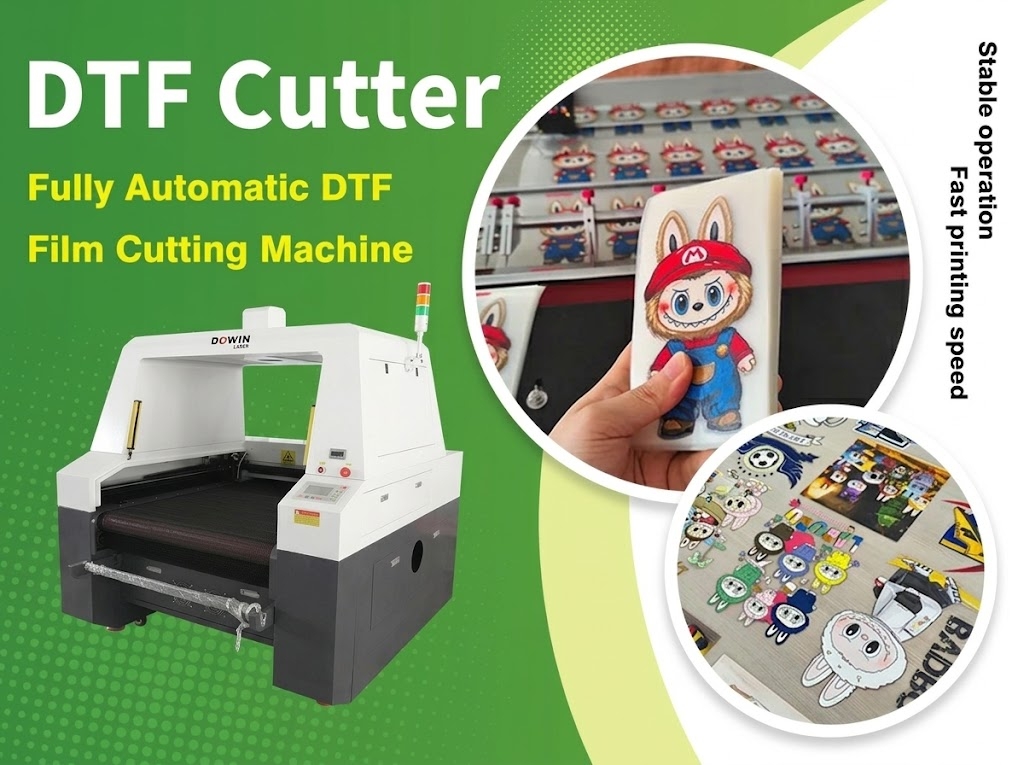
DTF printing has become a popular solution for producing custom T-shirts, personalized apparel, promotional products, and other textile transfers. However, printing is only one part of the production process. Cutting printed DTF film into individual designs, managing film rolls, and preparing transfers for application can also affect production speed, material waste, and labor costs.
A dedicated DTF film cutter helps automate these post-printing operations. By combining accurate cutting, digital design processing, and efficient film handling, manufacturers can streamline their workflow and handle larger orders with greater consistency.
For businesses processing multiple designs or long rolls of PET transfer film, choosing the right DTF film cutting machine can improve the efficiency of the entire production line.
1. What Is a DTF Film Cutter?
A DTF film cutter is a machine designed to cut DTF transfer film according to predefined digital patterns. Depending on its configuration, it can process printed PET film rolls, cut individual transfer designs, and prepare film for subsequent heat-transfer operations.
Unlike manual trimming, which relies on an operator to position and cut each design, an automated cutter follows programmed cutting paths. This makes it easier to maintain consistent dimensions across repeated jobs and large batches.
Some DTF film cutters use knife-based cutting systems, while specialized laser cutting machines use a focused laser beam. The appropriate technology depends on the film material, required cutting precision, production speed, and whether the process involves contour cutting, perforation, or other specialized operations.
When selecting equipment, it is important to distinguish between a DTF printer, which deposits ink onto the film, and a DTF film cutter, which performs the cutting operations after printing.
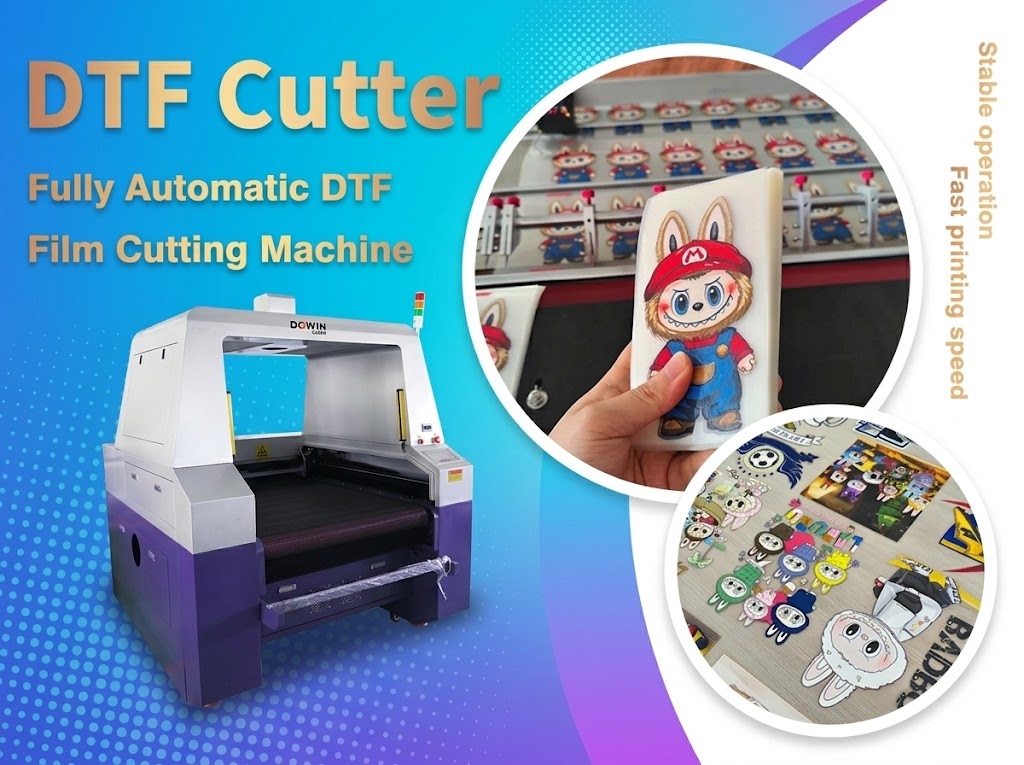
2. Five Ways a DTF Film Cutter Improves Your Workflow
2.1 Reduce Manual Cutting and Labor Requirements
Manual cutting can become a bottleneck when a business receives large orders containing hundreds or thousands of transfer designs. Operators must repeatedly measure, position, and trim the film, which consumes time and can introduce inconsistencies.
An automated DTF film cutter processes programmed designs with less manual intervention. Once the cutting file and machine parameters are properly configured, the equipment can repeat the same operation across multiple designs or film sections.
This allows operators to spend more time on printing, order preparation, quality inspection, and other production tasks.
2.2 Improve Cutting Consistency
Consistent cutting is essential when preparing DTF transfers for garment decoration. Irregular edges, incorrect dimensions, or poorly aligned cuts can make transfers harder to handle and reduce the professional appearance of finished products.
A properly configured cutting system follows digital paths rather than relying on manual measurements for every piece. With suitable positioning and material control, it can maintain more consistent cutting results across repeated jobs.
For printed designs with complex outlines, the machine’s registration method and cutting accuracy are particularly important. Buyers should test actual printed film samples to verify contour alignment before purchasing.
2.3 Increase Production Efficiency for Roll Materials
Many DTF printing businesses use PET transfer film in rolls, including common 60 cm-wide formats. Manually cutting long rolls into individual designs or manageable sections can interrupt production and increase handling time.
A roll-compatible DTF film cutting machine can process continuous material according to a predefined workflow. Depending on the machine design, features such as automatic feeding, dual cutting heads, and optimized cutting paths can help reduce idle time.
For factories handling repetitive jobs, these capabilities can improve throughput without requiring a proportional increase in manual labor.
When comparing machines, check the usable cutting width, roll-handling capacity, feeding method, and compatibility with the film formats used in your production line.
2.4 Reduce Material Waste
Incorrect manual cuts can damage printed designs, waste valuable transfer film, and require additional reprints. The problem becomes more significant when processing expensive specialty films or orders containing many small graphics.
Digital cutting files make it easier to plan the placement of designs and repeat standardized cutting patterns. Optimizing the layout can reduce unused space between designs, while consistent machine operation helps limit avoidable cutting errors.
However, a cutter does not automatically eliminate waste. Material savings depend on design nesting, film alignment, cutting-path planning, and the accuracy of the registration process.
2.5 Support More Flexible Order Management
Custom printing businesses often process orders with different artwork, quantities, and dimensions. Switching between jobs manually can slow down production and increase the possibility of cutting the wrong design.
A digital cutting workflow makes it easier to load different files and adjust cutting paths for new orders. This is especially useful for print-on-demand operations, personalized apparel businesses, and manufacturers producing multiple designs in small batches.
With suitable software and job-management procedures, operators can move between orders without rebuilding the entire cutting setup each time.
3. Knife Cutting vs. Laser Cutting for DTF Film
Not every DTF film cutter uses the same cutting technology. Understanding the differences helps buyers select equipment that matches their production requirements.
| Feature | Knife-Based DTF Cutter | Laser DTF Film Cutter |
|---|---|---|
| Cutting method | Mechanical blade | Focused laser beam |
| Blade wear | Blade replacement may be required | No mechanical cutting blade |
| Fine details | Depends on blade, material, and motion control | Depends on spot size, power, and motion control |
| Material compatibility | Depends on blade type and film structure | Requires testing for thermal effects and material compatibility |
| Maintenance | Blade and mechanical system maintenance | Optical, laser-source, and mechanical maintenance |
| Best selection criteria | Film thickness, contour cutting, and blade performance | Thermal compatibility, cutting quality, and processing requirements |
A knife-based cutter may be suitable for businesses that need conventional contour cutting and want to avoid thermal effects. Laser cutting can be useful for compatible films and specialized cutting patterns, but heat may melt, deform, or discolor some film materials.
Before choosing a laser-based system, confirm that the specific PET or TPU film is suitable for laser processing. Request a sample test to check edge quality, cutting accuracy, and any effects on the printed layer.
4. What Features Should You Look for in a DTF Film Cutting Machine?
The best machine is not necessarily the one with the highest rated speed or the most cutting heads. It should match your film width, order volume, cutting requirements, and existing printing equipment.
Working Width
Choose a cutting width that accommodates your film rolls and typical design layouts. A 60 cm working format is relevant to many common roll-based DTF workflows, but the usable width should be confirmed with the manufacturer.
Single or Dual Cutting Heads
A dual-head configuration may increase productivity when the machine is designed to process compatible cutting paths efficiently. Actual output depends on how the heads operate, the complexity of the designs, and the film-feeding system.
Automatic Feeding
Automatic feeding can reduce manual handling and support longer production runs. Check how the machine controls film tension, alignment, and feeding accuracy to avoid material displacement during cutting.
Cutting Accuracy and Registration
For printed designs, cutting accuracy is only part of the requirement. The machine must also align its cutting paths with the printed artwork. Ask whether the system supports the registration method needed for your specific workflow.
Software Compatibility
The cutting software should support your design files and provide a practical way to set cutting paths, adjust layouts, and manage repeated jobs. Confirm compatibility with your existing RIP or design workflow instead of assuming that every printer and cutter uses the same software.
Maintenance and Technical Support
Consider spare parts, training, troubleshooting support, and the availability of replacement components. A machine that is easy to operate and maintain can be more valuable than one with higher advertised specifications but a complicated production setup.
5. How to Integrate a DTF Film Cutter into Your Production Line
A streamlined DTF workflow requires more than installing a cutting machine. Each stage should be coordinated to reduce unnecessary handling and waiting time.
Step 1: Prepare the Artwork
Create the print file and cutting paths according to the design requirements. Confirm dimensions, spacing, and any contour-cutting or perforation requirements before production begins.
Step 2: Print the DTF Film
Print the artwork onto compatible transfer film using the appropriate DTF printing process. Check the print quality and ensure that the film is suitable for the selected cutting method.
Step 3: Align the Printed Film
Position the printed film and complete any required registration process. Accurate alignment helps prevent the cutter from crossing into the artwork or leaving excessive margins.
Step 4: Configure the Cutting Parameters
Set the cutting speed, power or blade pressure, path, and other machine-specific parameters. Conduct a small test before running a full production batch, especially when changing film types.
Step 5: Cut and Inspect
Process the film and inspect representative samples for dimensional accuracy, edge quality, and alignment. If the workflow uses perforation or connecting points, verify that the designs remain secure during handling and can be separated as intended.
Step 6: Organize the Finished Transfers
Group the cut designs by order, size, or customer. Clear labeling and organized storage reduce confusion during subsequent heat-transfer operations and help maintain order traceability.
By coordinating these steps, businesses can reduce manual bottlenecks and establish a more repeatable production process.
6. Is a DTF Film Cutter Worth the Investment?
A dedicated cutter is worth evaluating when manual cutting is limiting production capacity, labor costs are increasing, or order volumes have become difficult to manage consistently.
For small businesses processing only a few designs each day, manual trimming or a basic cutting setup may be sufficient. For growing print shops, wholesalers, and garment manufacturers handling repetitive orders, automation may offer greater long-term value.
To estimate the potential return on investment, compare the current time spent on manual cutting with the expected machine operating time, labor requirements, material waste, maintenance costs, and additional production capacity.
A practical evaluation should include:
-
Average film length or number of designs processed per day.
-
Current labor time per order.
-
Expected cutting speed under real production conditions.
-
Material waste caused by misalignment or cutting errors.
-
Machine purchase, maintenance, and operating costs.
-
Whether the cutter can keep pace with the existing printer.
The most useful comparison is based on completed, acceptable transfers per working hour rather than the machine’s advertised maximum speed alone.
7. Choosing a DTF Film Cutting Solution for Your Business
For businesses processing roll-based transfer materials, a machine’s configuration should match the way orders move through the production line.
If you regularly handle 60 cm PET or TPU film, prioritize a compatible working width, stable material feeding, accurate cutting, and software that supports your design workflow. If production involves many repeated designs, investigate whether a dual-head configuration can improve throughput for your specific jobs.
For more specialized requirements, such as perforated cutting lines or connecting points that make sections easier to carry or separate, confirm that the machine supports the required cutting pattern. These features should be tested with the actual film rather than assumed from the product name.
Dowin provides laser cutting equipment for film and textile processing applications. You can explore the Dowin automatic fabric feeding laser cutting machine to review equipment for automated material handling and cutting applications. For DTF film production, confirm the machine’s compatibility with your particular film, cutting method, and production requirements before selecting a configuration.
Frequently Asked Questions
What is the difference between a DTF printer and a DTF film cutter?
A DTF printer prints artwork onto transfer film. A DTF film cutter cuts the printed film into individual designs or sections. They perform different functions and may be used together in the same production workflow.
Can a DTF film cutter process 60 cm PET film?
Many machines are designed for roll materials, but the maximum usable width, feeding arrangement, and film compatibility vary by model. Confirm the working width and test your actual PET film before purchasing.
Does a DTF film cutter reduce labor costs?
Automation can reduce repetitive manual cutting and handling. The actual labor savings depend on order volume, machine setup time, operator involvement, and how effectively the cutter is integrated into the existing workflow.
Is a dual-head DTF film cutter faster?
It can be, depending on the machine’s head configuration, cutting paths, material feeding, and job complexity. Ask the supplier to demonstrate the expected output using representative production files.
Can a laser cutter cut all DTF films?
No. Different films and coatings react differently to laser energy. Some may melt, deform, discolor, or release unwanted fumes. Confirm material compatibility and appropriate ventilation before processing a new film.
How can I improve DTF film cutting accuracy?
Use correctly prepared cutting files, maintain consistent film alignment, select suitable cutting parameters, and inspect the first samples of each job. For printed contour cutting, verify that the registration system matches the artwork accurately.
Conclusion
A DTF film cutter can streamline the printing workflow by reducing manual cutting, improving repeatability, supporting roll-based production, and making order changes easier to manage. The greatest benefits come from matching the cutting system to the film material, working width, production volume, and required cutting patterns.
Before investing in a machine, test your actual transfer film and artwork, compare real production throughput, and verify that the cutter integrates smoothly with your printing process. A well-matched cutting solution can help DTF businesses improve workflow efficiency while maintaining consistent transfer quality.
Post time: Oct-13-2026
