
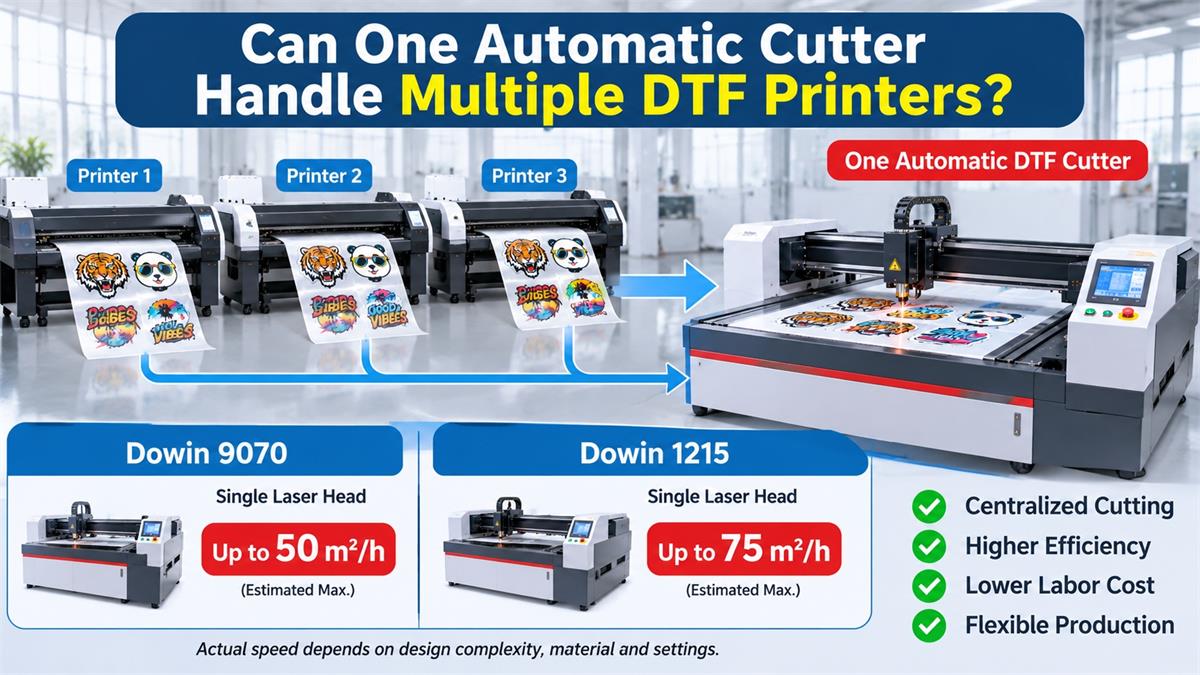
As DTF printing businesses expand, it is common to operate two, three, or even more DTF printers simultaneously. However, purchasing a separate cutting machine for every printer can increase equipment investment, floor space requirements, and maintenance costs. This raises an important question: Can one automatic DTF film cutting machine handle the output of multiple printers?
In many production environments, the answer is yes. A properly selected automatic DTF film laser cutter can serve multiple printers by processing their printed films in sequence. The key is matching the cutter’s actual processing capacity with the combined output of the printing equipment.
1. Why Do DTF Businesses Need One Cutter for Multiple Printers?
In a commercial DTF printing workshop, printing and cutting are two different production stages. Printers produce transfer film, while the cutting machine separates individual designs or follows their printed contours.
When several printers operate simultaneously, the cutting department may become a bottleneck.
For example, a workshop might have three 60 cm DTF printers running throughout the day. If operators manually cut every printed design, the cutting workload can quickly exceed the available labor capacity.
Installing one centralized automatic cutter offers several advantages:
- Lower equipment investment: One higher-capacity cutter may replace the need for several smaller cutting machines.
- Better space utilization: A centralized cutting station reduces the floor space needed for separate machines.
- Reduced labor requirements: Operators can manage film preparation, feeding, cutting, and collection in one production area.
- Centralized production management: Orders from different printers can be organized and processed according to delivery deadlines.
- More flexible production: Different printed designs can be processed by changing cutting files and machine settings.
2. How Much Output Can One Automatic DTF Cutter Handle?
This is the most important question when selecting a centralized cutting solution. Instead of simply counting how many printers a cutter can support, businesses should compare the total printed film area with the cutter’s actual processing capacity.
Consider a typical example: a 60 cm, four-head DTF printer producing approximately 20 m² of printed film per hour under representative production conditions.
With three printers operating simultaneously:
3 printers × 20 m²/hour = 60 m²/hour
The cutting department therefore needs to process approximately 60 m² of printed film per hour to keep pace with this printing output.
Dowin’s published machine comparison provides the following indicative cutting capacities:
| Machine | Configuration | Indicative Cutting Speed |
|---|---|---|
| 9070 | Single laser head | Approximately 30 m²/hour |
| 9070 | Dual laser heads | Approximately 60 m²/hour |
| 1215 | Dual laser heads | Approximately 120 m²/hour |
These figures are reference production estimates, not guaranteed output rates. Actual performance depends on artwork complexity, cutting paths, film handling, machine configuration, and operating conditions.
Based on these reference figures, the 1215 has a substantially greater processing capacity and may support the output of approximately three typical 60 cm, four-head DTF printers under suitable production conditions.
3. How Does One Cutter Handle Multiple Printers?
A centralized cutting station normally processes printed film from different printers in sequence rather than cutting several independent printer outputs simultaneously.
A practical production workflow looks like this:
- Multiple DTF printers operate: Each printer produces its assigned transfer film orders.
- Printed film is organized: Operators identify and organize the output by order number, material, and cutting file.
- Material enters the cutting station: The printed rolls or sheets are loaded according to the cutter’s feeding configuration.
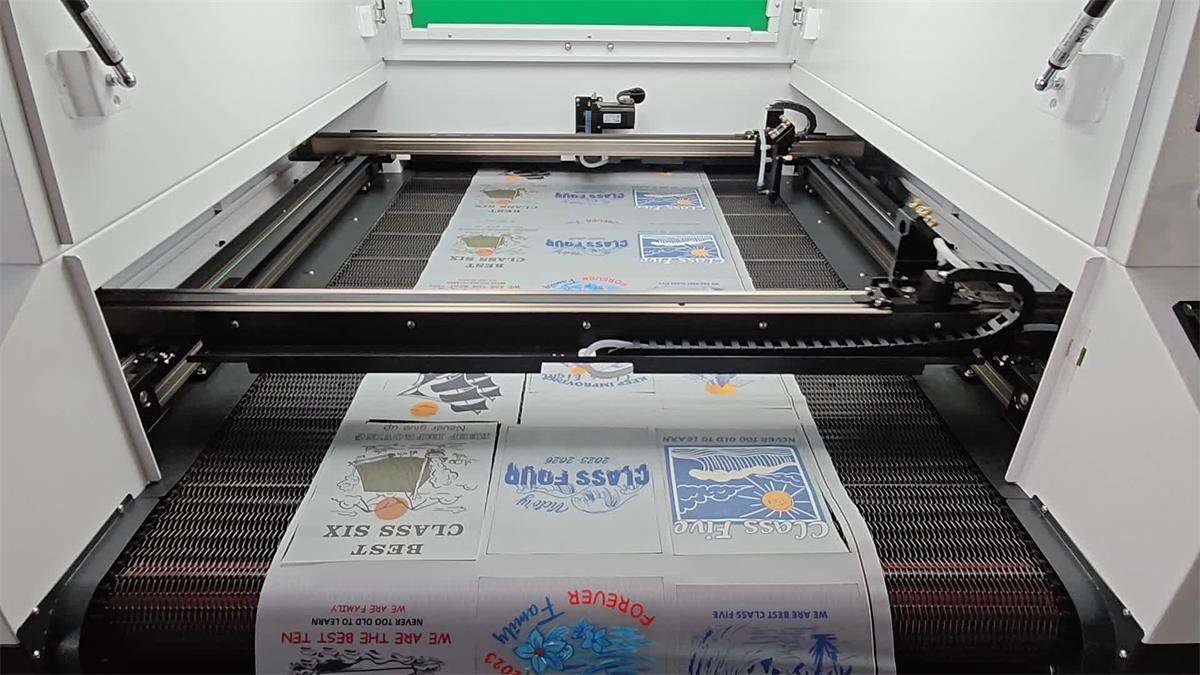
- Automatic recognition: The vision system identifies printed designs or registration features and aligns the cutting paths.
- Continuous cutting: The laser processes the film according to the programmed cutting file.
- Finished products are collected: Cut transfers are organized for packaging or the next production stage.
This approach allows several printers to share one centralized cutting department without requiring a dedicated cutter for each printer.
However, a standard single-path feeding system does not automatically accept several independent film rolls at the same time. Multiple inputs require a suitable feeding arrangement or sequential loading.
4. What Features Matter When One Cutter Serves Multiple Printers?
Automatic Feeding System
When a cutter serves several printers, material handling becomes increasingly important. Automatic feeding helps reduce repetitive loading operations and supports continuous roll processing.
Businesses should check film tension control, alignment correction, maximum feeding width, and whether the machine supports their preferred roll or sheet format.
CCD Vision Positioning
Different printers may produce different designs and layouts. A vision positioning system helps identify printed graphics and match the cutting paths with their actual positions.
Some laser cutting systems support template matching for repeated designs, while others can recognize contours in real time. The appropriate method depends on the type of DTF orders being processed.
Dual Laser Heads
Dual-head configurations can improve cutting productivity when the machine design and cutting files allow both heads to work efficiently.
However, two laser heads do not automatically mean twice the production capacity. Actual output depends on the cutting layout, head coordination, movement system, and material feeding process.
Working Width and Processing Area
If your printers use different film widths, the cutter must accommodate the materials you plan to process.
For example, a factory operating 60 cm and 90 cm printers should verify that the cutting machine can handle both film widths without compromising its usable cutting area or feeding stability.
5. Which Dowin DTF Cutter Is Suitable for Multiple Printers?
Dowin offers different DTF film laser cutting configurations for businesses with different production requirements.
Dowin 9070 Automatic DTF Film Laser Cutter
The Dowin 9070 DTF film laser cutter is worth considering for small and medium-sized DTF production operations.
Its features include:
- Camera-based positioning and contour recognition.
- Automatic loading and unloading configuration.
- Roll and sheet processing capabilities.
- CO2 laser cutting technology.
- Configurations with single or dual laser heads.
For a business operating one or two DTF printers, the 9070 may provide a practical centralized cutting solution, depending on the combined production volume.
Dowin 1215 Large-Format DTF Film Cutting Machine
For larger production facilities operating several DTF printers, the Dowin 1215 automatic DTF and TPU film cutting machine offers a larger processing area and higher production capacity.
Main configurations include:
- 1200 × 1500 mm working area.
- Dual 160W CO2 laser heads.
- Automatic feeding system.
- Industrial CCD camera positioning.
- Servo motor and rack-and-pinion transmission.
- Support for 60 cm, 90 cm, and 120 cm film widths, subject to the machine’s feeding configuration.
Its larger working area and dual-head configuration make it a stronger candidate for centralized cutting operations in commercial DTF printing factories.
6. When Should You Buy a Second Cutting Machine?
Although one automatic cutter can serve multiple printers, there is a limit to how much production it can handle.
Consider adding another cutter when:
- The combined printing output consistently exceeds the cutting machine’s actual capacity.
- Printed film accumulates faster than the cutter can process it.
- One machine cannot handle peak-season production requirements.
- Different production lines require incompatible film widths or cutting configurations.
- Equipment downtime would seriously affect your delivery schedule.
A useful way to evaluate the situation is to track the daily printed area, cutting time, machine utilization, and unfinished orders. This provides a much more reliable basis for equipment investment than simply counting the number of printers.
Conclusion: One High-Capacity Cutter Can Serve Multiple DTF Printers
For many commercial DTF businesses, purchasing one properly configured automatic cutter is more economical than installing a separate cutting machine for every printer.
The most important factor is production capacity. A 9070 may be suitable for smaller centralized cutting operations, while the larger-format 1215 is designed for higher-volume production and can potentially support multiple 60 cm DTF printers.
Before purchasing, compare your printers’ combined output with the cutter’s demonstrated cutting speed using your actual film, artwork, and production files.
Planning a centralized DTF cutting station? Contact Dowin with the number of printers you operate, their printing widths, daily output, and sample cutting files. We can help evaluate a suitable automatic laser cutting configuration for your production line.
Frequently Asked Questions
1. Can one DTF cutter work with three DTF printers?
Yes, provided the cutter has sufficient processing capacity. A high-capacity machine such as the Dowin 1215 may support approximately three typical 60 cm, four-head DTF printers under suitable production conditions. Actual capacity should be confirmed through production testing.
2. Can multiple DTF printers feed film into one cutter simultaneously?
Not with a standard single-path feeding system. Most centralized cutting setups process the printed rolls or sheets sequentially. Simultaneous multi-roll feeding requires a specially designed feeding arrangement.
3. How do I calculate the required DTF cutter capacity?
Multiply the effective hourly output of each printer by the number of printers. Then compare the combined output with the cutter’s demonstrated processing capacity, allowing additional time for loading, job changes, inspection, and downtime.
4. Is a dual-head DTF laser cutter faster than a single-head machine?
Generally, a suitable dual-head configuration can improve productivity. However, the actual improvement depends on head coordination, cutting paths, artwork layout, and material handling.
5. Can one automatic cutter process different DTF film widths?
Yes, when its working area and feeding system support the required widths. Always confirm the maximum usable film width and test each material format before purchasing.
6. Should I buy more DTF printers or a faster cutting machine?
First identify your production bottleneck. If printers are frequently waiting for cutting capacity, upgrading the cutting department may improve overall output more effectively than purchasing another printer. If printing itself is the bottleneck, additional printing capacity may be more useful.
“`
Post time: Nov-12-2026
